Audience engagement AV techniques for events: 2026 guide
Date added: 3/07/2026
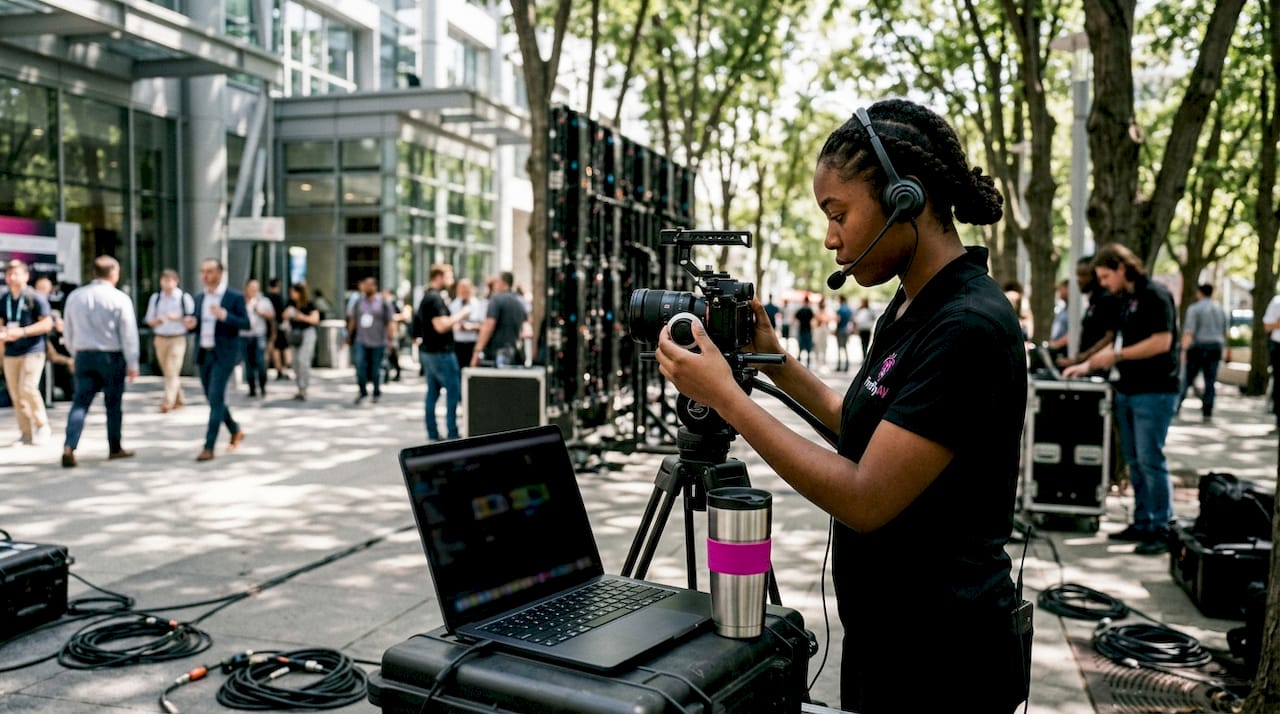
Audience engagement AV techniques for events are methods that use audio-visual technology to turn passive attendees into active participants. Live polling, real-time Q&A, and immersive projection systems are the core tools in this discipline, which the industry formally calls interactive event AV. Engagement participation has risen from 20% to over 80% when planners deploy live interaction tools consistently. That shift is not incremental. It represents a fundamental change in what audiences expect from a corporate or cultural event. Fireflyav supplies the equipment and technical support that makes this level of participation achievable, from conference microphone systems to digital mixing consoles and LED video walls.
What AV tools and technologies enable effective audience engagement?
The right hardware is the foundation of every successful event audience interaction strategy. Without it, even the best facilitator cannot sustain participation across a room of 200 delegates.
Core AV hardware for live events
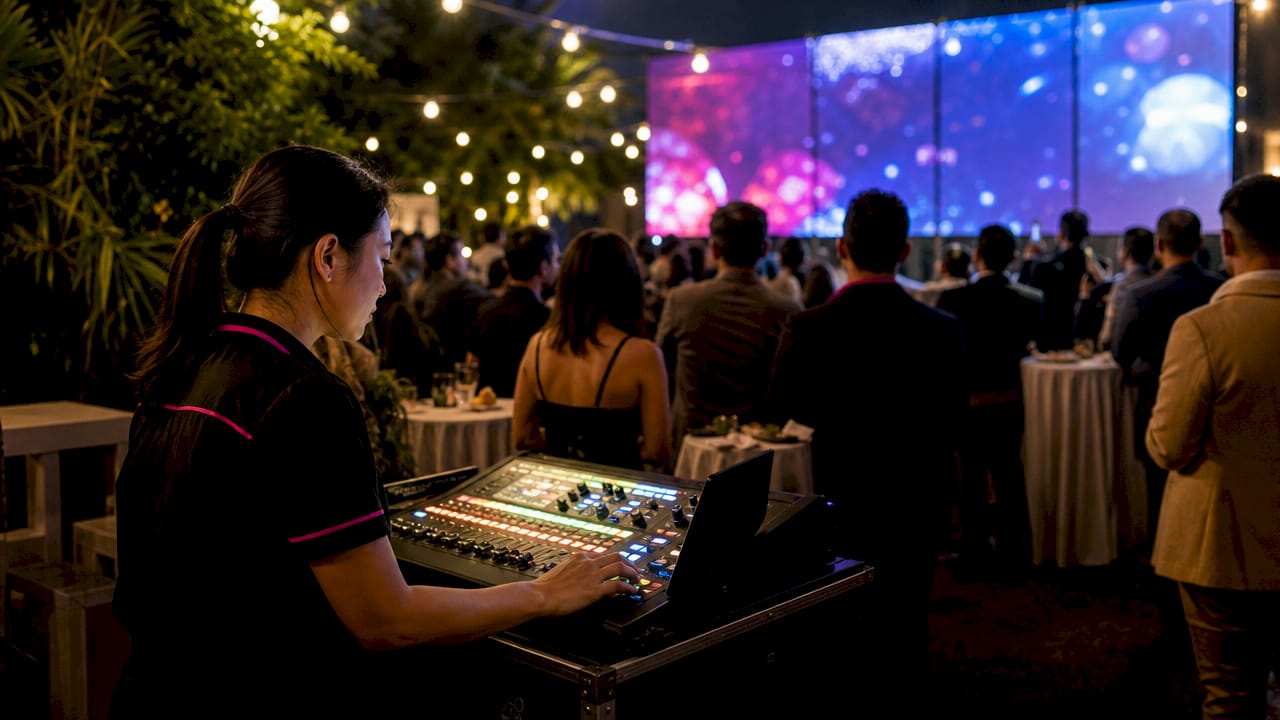
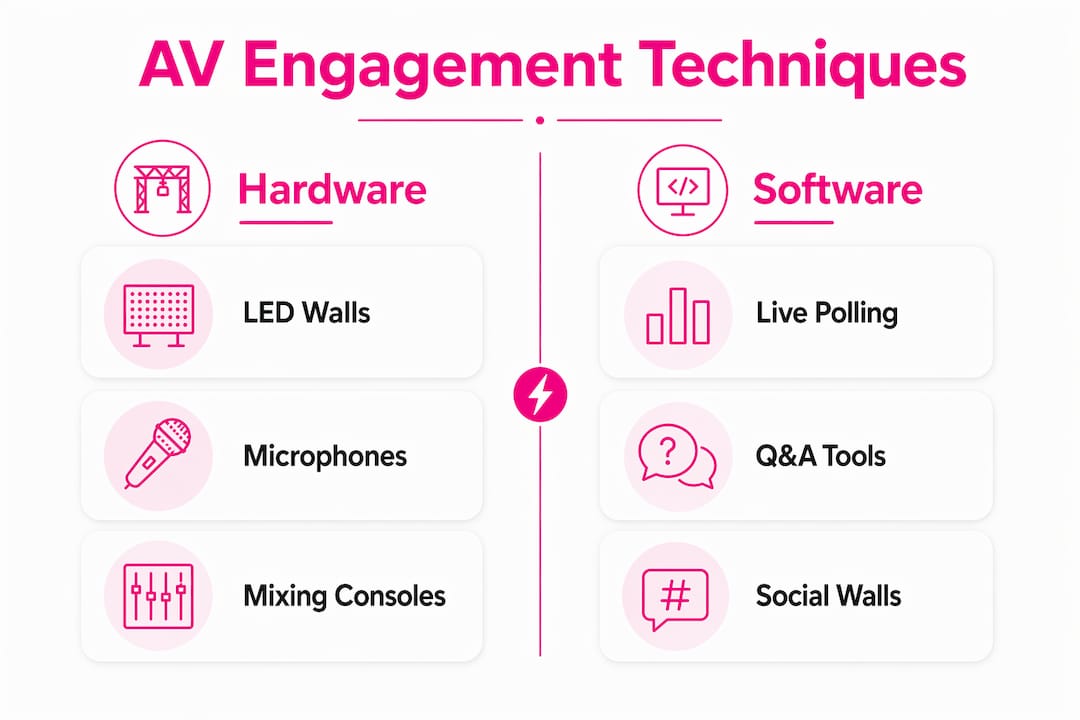
LED video walls, digital mixing consoles, wireless microphone systems, and projection systems form the backbone of any engagement-focused AV setup. Each piece serves a distinct function. An LED video wall displays live poll results and social media feeds at a scale the entire room can read instantly. A digital mixing console gives the AV team precise control over every audio source, keeping presenter voices clear and Q&A contributions audible. Wireless microphone systems, including handheld, lapel, and throwable cube formats, remove the physical barrier between the stage and the audience.
| AV tool | Engagement role |
|---|---|
| LED video wall | Displays live poll results and social feeds in real time |
| Digital mixing console | Manages multiple audio sources for clear presenter and audience audio |
| Wireless microphone system | Enables audience members to speak and be heard without leaving their seat |
| Live polling platform | Collects and visualises audience responses during the session |
| Social media wall | Aggregates attendee posts and reactions on a shared display |
| Vision mixer | Switches between camera feeds for hybrid and multi-camera events |
Software and real-time interaction tools
Live polling platforms, moderated Q&A tools, and social media walls are the software layer that converts hardware capability into measurable participation. Mobile integration is the critical link: attendees submit responses on their own devices, and the platform pushes results to the main screen. Poll responses must appear on stage screens within 2 seconds to maintain the impression of live interaction. Any delay longer than that breaks the energy in the room. Planners should test latency under realistic network load before the event opens, not during the opening session.
Pro Tip: Run a full network stress test with the expected number of simultaneous device connections at least 24 hours before the event. Wi-Fi congestion is the most common cause of latency failures in live polling.
How do you design an AV workflow that maximises audience participation?
A well-designed AV workflow is the difference between a session that feels alive and one that feels like a broadcast. Techniques for audience participation only work when the technical setup supports them reliably.
Step-by-step AV workflow for event planners
- Define interaction moments. Map every point in the programme where you want audience input: opening polls, mid-session Q&A, gamified quizzes, and closing feedback. Assign a specific AV action to each moment.
- Brief your presenters. Presenter comfort and authenticity have a greater impact on audience attention than production polish alone. Walk each speaker through the polling interface and the microphone handoff process before the day.
- Test all systems end-to-end. Run a full rehearsal with live polling active, microphones open, and the vision mixer switching between feeds. Confirm latency is under 2 seconds on every interaction tool.
- Assign dedicated AV roles. One operator manages audio, one manages vision, and one monitors the polling platform. Splitting responsibilities prevents a single point of failure during live interaction moments.
- Integrate remote participants into the main workflow. For hybrid events, route remote video feeds directly into the vision mixer so remote attendees appear on the main stage screen alongside in-room speakers.
- Prepare contingency plans. Have a backup polling method (show-of-hands with a roving mic) ready if the digital platform fails. Brief the host on how to manage the transition without breaking the session’s momentum.
- Debrief and capture data. Export poll results and Q&A logs immediately after the event. This data informs the next event’s programme design and demonstrates ROI to stakeholders.
Hybrid event AV integration
Hybrid events present the most complex audience engagement challenge. The risk is that remote attendees become spectators rather than participants. Effective hybrid AV places remote video feeds directly inside the main stage switcher, not on a separate monitor at the side of the room. That single change signals to the in-room audience that remote participants are equal contributors. Tightly integrating remote attendee feeds with on-stage AV systems creates a unified experience and measurably improves engagement for both groups. Planners should also assign a dedicated remote audience moderator who feeds questions from the online chat into the main Q&A queue.
Pro Tip: Use a web presenter device to encode and stream the main stage feed at broadcast quality. This gives remote attendees the same visual experience as those in the room, which directly supports their sense of inclusion.
Which AV techniques are transforming audience engagement in 2026?
AV has shifted from amplifying content to shaping how attendees perceive and interact with events. The most significant 2026 developments give attendees direct control over what they see and hear, which increases retention far beyond what passive immersive displays achieve.
Interactive 3D projection mapping
Interactive 3D projection with motion tracking uses computer vision to let attendees influence the visuals displayed on stage surfaces. Attendees move, gesture, or vote, and the projection responds in real time. This prevents the visual fatigue that static projection mapping produces over a long session. The technique works particularly well at product launches and cultural events where the visual narrative is part of the brand story.
Physical interactive microphones
Throwable cube microphones and similar low-tech AV tools lower the barrier to participation more effectively than digital-only platforms. Passing a physical object across a room creates a social moment. It signals permission to speak in a way that raising a hand or tapping a phone screen does not. These tools work alongside digital polling rather than replacing it, and they are particularly effective at breaking the fourth wall in smaller conference settings.
Data-driven content personalisation
AV systems in 2026 can adjust session content in real time based on live audience data. If poll results show that 70% of attendees want more detail on a specific topic, the presenter can branch to that content immediately, with the AV team switching to the relevant slide deck or video asset on cue. This approach treats the event programme as a living document rather than a fixed script. Planners who build branching content structures into their AV workflows report stronger end-of-session satisfaction scores.
For planners looking at event guest engagement best practices, the consistent finding is that attendee agency, the sense that their input changes what happens next, is the single strongest driver of positive event experience.
| Technique | Primary benefit | Best event type |
|---|---|---|
| Interactive 3D projection mapping | Prevents visual fatigue; increases retention | Product launches, cultural events |
| Throwable cube microphones | Lowers participation barrier; creates social moments | Conferences, workshops |
| Live data-driven content branching | Aligns session content with real audience interest | Corporate conferences, training events |
| Social media walls | Amplifies attendee voice; builds community | Awards, festivals, brand events |
What common AV engagement challenges should planners avoid?
Even well-resourced events fail on engagement when a small number of technical and human factors are overlooked. Knowing the failure modes in advance is the most reliable form of risk management.
- Latency over 2 seconds. Poll visualisation latency above 2 seconds kills the energy that live interaction creates. The audience stops feeling like co-creators and starts feeling like they are filling in a form. Test under load and have a network engineer on site.
- Presenter discomfort. A presenter who is visibly uncomfortable with the AV setup loses the audience before the first poll launches. High-end AV must prioritise presenter comfort over production polish for optimal engagement. Brief presenters thoroughly and keep the interface as simple as possible.
- Hybrid audience segregation. Placing remote attendee feeds on a side monitor rather than the main screen signals that they are secondary. Route all participant video through the main vision mixer to avoid this.
- Over-reliance on a single interaction format. Using only live polling for 90 minutes produces diminishing returns. Alternate between polling, open Q&A, gamified quizzes, and physical microphone moments to sustain variety.
- No contingency plan. Digital platforms fail. A roving wireless microphone and a show-of-hands protocol costs nothing to prepare and saves the session when technology lets you down.
The most common mistake I see at corporate events is treating AV engagement tools as a feature to switch on rather than a workflow to rehearse. Every interaction moment needs a technical owner, a timing cue, and a fallback. Without those three things, the technology creates friction instead of removing it.
Pro Tip: Assign one team member specifically to monitor audience energy throughout the event. Their only job is to flag when attention is dropping so the AV team can trigger the next interaction moment before the room loses momentum.
Key takeaways
Effective AV-driven audience engagement requires the right hardware, a rehearsed workflow, and presenter preparation working together as a single system.
| Point | Details |
|---|---|
| Latency is a hard limit | Poll responses must appear on screen within 2 seconds to sustain live interaction energy. |
| Presenter comfort drives engagement | Brief every speaker on the AV setup before the event; authenticity outperforms production polish. |
| Hybrid needs equal treatment | Route remote video feeds through the main vision mixer to prevent audience segregation. |
| Vary interaction formats | Alternate polling, Q&A, physical microphones, and gamified moments to maintain participation across a full session. |
| Attendee agency increases retention | Techniques that let attendees influence content, such as data-driven branching and interactive projection, produce stronger recall than passive displays. |
The shift I keep seeing event planners miss
The conversation about AV technology for engagement has changed significantly over the past few years. When I started working in this industry, the brief was almost always about amplification: make the presenter louder, make the slides bigger, make the video cleaner. That was the job.
The brief now is fundamentally different. Planners are asking how to make the audience feel like they are inside the event rather than watching it. That is a much harder problem to solve, and it requires a different way of thinking about the AV setup. The technology is not the centrepiece. The attendee’s experience of agency is the centrepiece, and the technology exists to deliver that feeling reliably.
What I find planners consistently underestimate is the human side of this equation. The best LED wall in the room does nothing for engagement if the presenter is visibly uncomfortable with the polling interface. I have watched technically flawless setups produce flat sessions because nobody spent 20 minutes walking the speaker through the interaction workflow. Conversely, I have seen modest AV setups produce extraordinary participation because the presenter was relaxed, the interaction moments were well-timed, and the audience felt genuinely heard.
The interactive AV techniques that generate the strongest retention are the ones where attendees believe their input changed something. That belief is created by good timing, low latency, and a presenter who responds authentically to what the audience says. The AV team’s job is to make all three of those things possible simultaneously.
— Michael
Fireflyav’s AV solutions for event engagement
Fireflyav supplies the equipment and technical support that event planners need to deliver genuine audience participation at corporate and cultural events.
From conference microphone systems that give every attendee a clear voice, to the Roland V-40HD vision mixer for managing hybrid and multi-camera workflows, Fireflyav’s catalogue covers every layer of an engagement-focused AV setup. The team also supports live polling integration and real-time visualisation workflows, ensuring your interaction moments land with the impact they deserve. Planners can browse the full range of equipment and services at fireflyav.co.uk/services or submit a project brief directly through the product enquiry form to get a tailored recommendation for your next event.
FAQ
What are the most effective AV techniques for audience engagement at events?
Live polling with real-time visualisation, moderated Q&A, and interactive projection mapping are the most effective techniques. Poll responses must appear on screen within 2 seconds to maintain energy and the sense of live interaction.
How does AV technology improve hybrid event engagement?
Routing remote attendee video feeds directly into the main stage vision mixer places remote participants on equal footing with those in the room. This prevents the “second-class citizen” effect that occurs when remote feeds appear only on a side monitor.
Why does presenter comfort matter for AV-driven engagement?
Audiences engage more with presenters who are relaxed and authentic than with those who appear uncomfortable with the technology around them. Briefing speakers on the AV workflow before the event is one of the highest-return preparation steps a planner can take.
What is the latency threshold for live polling at events?
The industry benchmark is under 2 seconds from response submission to on-screen visualisation. Latency above this threshold breaks the perception of real-time interaction and reduces audience participation rates.
How can photo booths support event engagement strategies?
Physical interactive elements like photo booths create social moments that complement digital AV tools. They give attendees a tangible, shareable experience that extends engagement beyond the main session.