Hybrid event AV: a technical guide for UK planners
Date added: 1/07/2026

Hybrid event AV is the coordinated audio-visual, networking, and production workflow that delivers two simultaneous shows from a single event: one optimised for the room and one built for remote viewers. Get that definition wrong at the scoping stage and you will under-resource one audience or the other. Three things to do right now: confirm your expected audience split (room versus remote); scope two independent audio paths from the outset; and request a dedicated wired uplink with confirmed upload capacity from the venue before you sign the contract.
Pro Tip: The audio engineer is the most underrated hire on a hybrid show. Room PA and streamed audio need completely different treatment — compression, EQ, and mix levels that work on a laptop speaker bear no resemblance to what fills a conference hall. Budget for both, separately, from day one.
Table of Contents
- What actually makes an event hybrid?
- Which hybrid format suits your event?
- What AV equipment do you need for a hybrid event?
- How does signal flow and networking work for hybrid streaming?
- Who do you need on the crew for a hybrid event?
- What venue considerations matter most for UK hybrid events?
- Which streaming platforms work best for UK hybrid events?
- How should you rehearse and plan contingencies for a hybrid event?
- What does a hybrid AV setup cost and how long does it take to plan?
- The unified production workflow: what experienced producers actually do
- Fireflyav: full hybrid AV production for UK events
- Key takeaways
- Why the “just add a camera” instinct gets hybrid events wrong
- Useful sources and further reading
What actually makes an event hybrid?
A hybrid event combines a live, in-person gathering with a simultaneous remote audience joining via a video stream. That sounds obvious, but the boundary matters when you are scoping AV, because the production requirements shift dramatically depending on which category your event falls into.
Three formats are commonly confused:
- Virtual event: 100% online, no physical venue, all attendees join via a platform such as Zoom or Microsoft Teams.
- Filmed-for-web: a live event recorded and published afterwards, with no real-time remote audience.
- Hybrid event: in-person attendees and remote viewers participate at the same time, with interaction flowing between both groups.
The distinction between filmed-for-web and hybrid catches planners out more than any other. If your remote audience watches a replay tomorrow, you are not running a hybrid event and you do not need a streaming engineer on the day. If they are watching live and submitting questions, you absolutely do.
Three misconceptions that inflate or wreck hybrid AV budgets:
| Myth | Reality |
|---|---|
| “Audio is audio — one mix covers both.” | Room PA and stream audio require separate mixes with different processing. A mix that sounds full in a hall sounds muddy on a laptop speaker. |
| “One fixed camera is enough for remote viewers.” | A single fixed camera fails to convey the event narrative; a minimum of two cameras (wide and close) is the accepted baseline. |
| “Venue Wi-Fi will handle the stream.” | Venue Wi-Fi is shared, unmanaged, and unreliable for primary uplink. A dedicated wired connection is non-negotiable. |
A quick reference for common scenarios:
| Scenario | Hybrid? |
|---|---|
| Conference with live stream and remote Q&A | Yes |
| Webinar with no physical venue | No — virtual |
| Award ceremony filmed and posted next day | No — filmed-for-web |
| Town hall with remote staff joining live | Yes |
Which hybrid format suits your event?
Hybrid events are widely used for conferences, product launches, and corporate summits. The format you choose drives your staffing, kit list, and budget more than almost any other single decision.
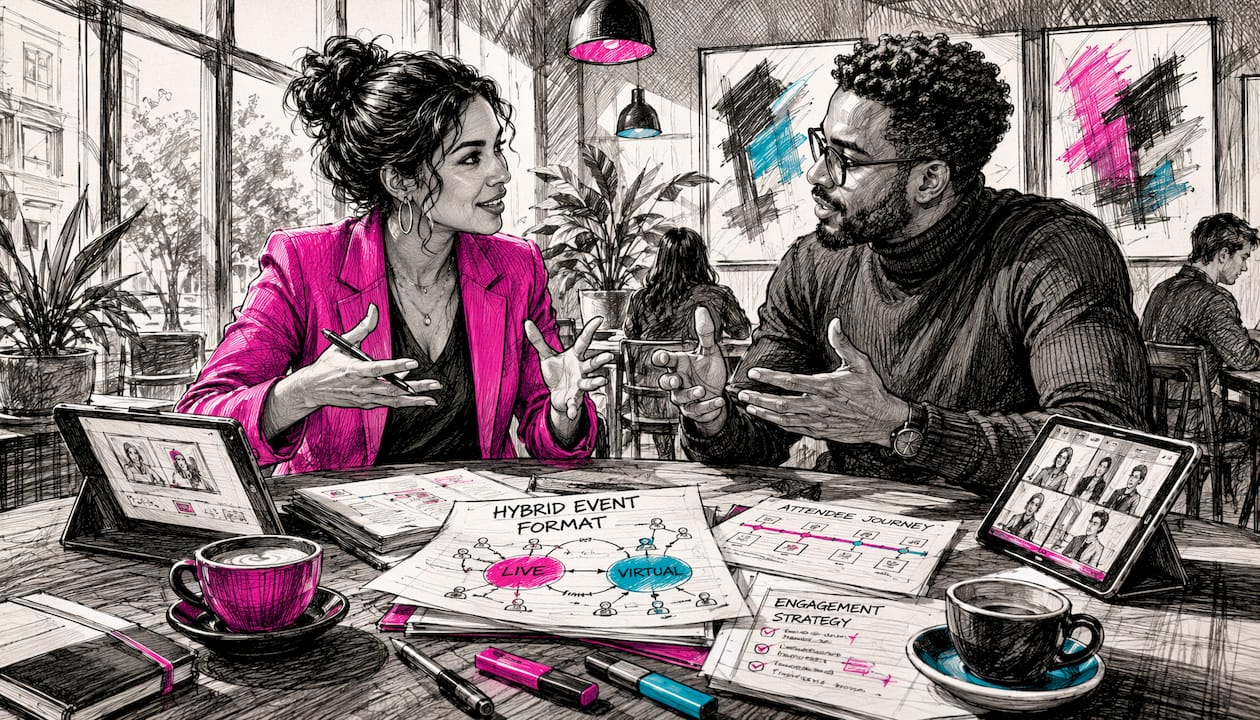
Simulcast is the most common starting point: the in-room programme is broadcast live to remote viewers with minimal additional interaction. Production complexity is relatively low, and it suits internal town halls or large conferences where the primary goal is reach rather than deep remote engagement.
Broadcast-first flips the priority: the stream is the primary product and the room is secondary. Think of a product launch where the global online audience dwarfs the room. Camera placement, lighting, and audio are all optimised for the stream, and the in-room experience is almost incidental.
Studio hub places the main production in a purpose-built or dressed studio environment, with the room audience either absent or minimal. This gives maximum control over the broadcast output and suits high-production corporate communications or executive briefings.
Multi-hub connects two or more physical locations simultaneously, each with its own AV setup, all feeding into a single broadcast. The complexity and crew requirements multiply with each additional site.
Watch party is the lightest format: remote viewers gather in secondary venues to watch the primary event together, with limited two-way interaction. It suits large-scale conferences where satellite offices want a shared viewing experience.
| Format | Audience size | Interaction level | Production complexity |
|---|---|---|---|
| Simulcast | Any | Low–medium | Low |
| Broadcast-first | Large remote | Low | Medium |
| Studio hub | Small room, large remote | Medium | High |
| Multi-hub | Multiple sites | High | Very high |
| Watch party | Large distributed | Low | Low–medium |
Format choice has a direct cost implication. A Zoom-style internal simulcast sits at the lower end of the budget range; custom RTMP integrations and broadcast-grade multi-hub productions escalate costs significantly.
What AV equipment do you need for a hybrid event?
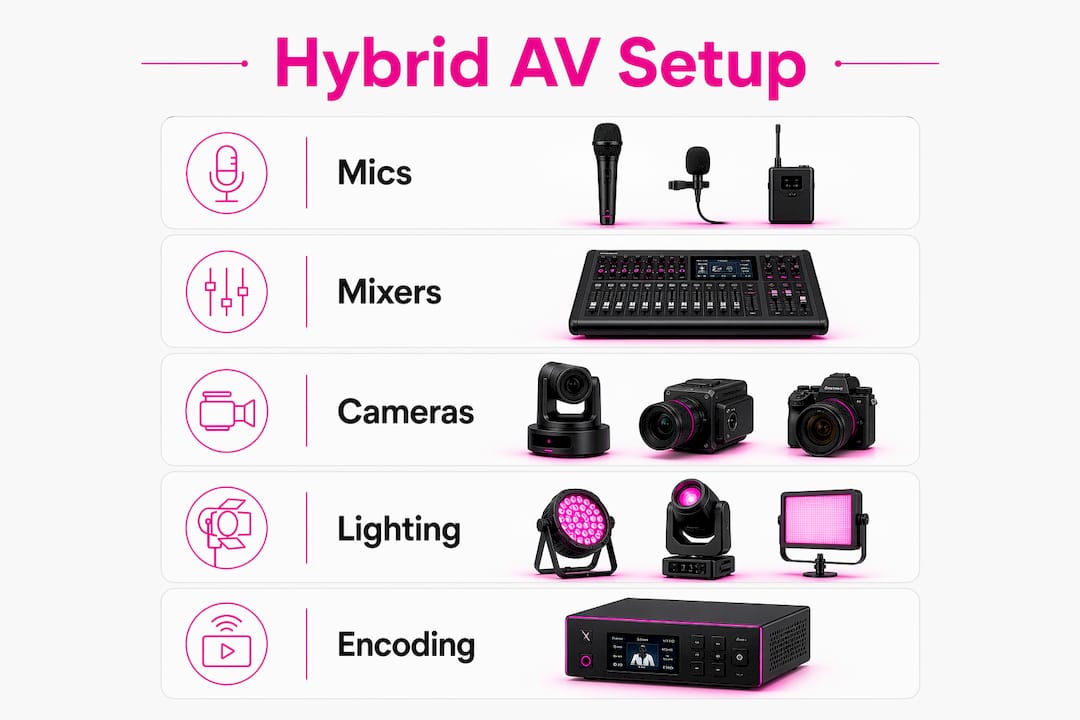
The kit list for a hybrid event is longer than most planners expect, because you are effectively running two technical chains from the same stage. The table below maps each item to its function and a working minimum specification.
| Equipment | Purpose | Minimum spec |
|---|---|---|
| Boundary / lapel microphones | Capture speaker audio cleanly for both room and stream | Cardioid or hypercardioid; low self-noise |
| Audio mixer | Manage room PA and create a separate stream mix | Digital console with aux send for stream feed |
| Cameras | Cover wide shot and close-up for remote viewers | Minimum two: one wide, one close; matched colour profiles |
| Video switcher | Cut between camera feeds and graphics in real time | HDMI or SDI inputs; downstream key for graphics |
| Encoder | Convert video signal to a streamable format | Hardware encoder preferred over software for reliability |
| Confidence monitors | Allow speakers to see slides and running time | Positioned below camera eyeline |
| Broadcast lighting | Illuminate speakers for camera, not just room comfort | Key light, fill, and backlight as minimum |
| Intercom system | Keep crew in contact across room, stream desk, and remote | Wired or wireless belt-pack system |
| Isolated recorder | Record a local backup of the full programme | SSD-based; independent of the stream path |
For audio visual equipment selection, the split between must-have and nice-to-have is worth spelling out clearly.
Must-have kit:
- Dedicated audio mixer with a separate stream aux send
- Minimum two cameras with a hardware switcher
- Hardware encoder (a Blackmagic ATEM Mini Pro or equivalent)
- Confidence monitors for every speaker position
- Isolated local recorder as a stream backup
Nice-to-have upgrades:
- Robotic PTZ cameras for unmanned wide shots
- Broadcast-grade lighting rig with DMX control
- Dedicated graphics workstation for lower-thirds and overlays
- In-ear monitoring for the producer
Pro Tip: Place confidence monitors directly below the camera lens so speakers maintain natural eye contact with the remote audience. A speaker who reads slides off a screen to the side looks disengaged on camera, even when the room feels perfectly natural.
Lighting deserves a specific note. What feels pleasant in the room often does not read on camera. Ambient house lighting creates flat, unflattering footage. A dedicated key light, fill, and backlight for each speaker position is the minimum for footage that looks intentional rather than accidental.
How does signal flow and networking work for hybrid streaming?
The canonical signal path for a hybrid event runs: stage microphones and cameras → audio mixer and video switcher → hardware encoder → CDN or streaming platform. The split between the room and the stream happens at two points: at the audio mixer (where the stream aux send branches off from the room PA feed) and at the video switcher (where the programme output feeds both the in-room screens and the encoder input).
Common transport protocols and when to use them:
- SDI (Serial Digital Interface): the standard for professional video over longer cable runs within a venue. Reliable, uncompressed, and the default choice for camera-to-switcher connections.
- NDI (Network Device Interface): sends video over a standard IP network. Useful for multi-room setups or where running SDI cable is impractical, but requires a managed network with sufficient bandwidth.
- SRT (Secure Reliable Transport): an open-source protocol designed for low-latency streaming over unpredictable networks. Increasingly the preferred choice for contribution feeds between venues and remote production.
- RTMP (Real-Time Messaging Protocol): the most widely supported ingest protocol for streaming platforms including YouTube Live, Vimeo, and most event platforms. Used for the final delivery leg from encoder to platform.
Bandwidth and redundancy checklist:
- Provision a dedicated wired fibre connection for the primary stream uplink; never share it with general venue internet.
- Request a bandwidth test at least 30 days before the event to confirm upload capacity.
- Provision a bonded 5G cellular connection as a backup uplink, ready to switch within seconds if the fibre drops.
- Set Quality of Service (QoS) rules on the network to prioritise stream traffic over general browsing.
- Run a local isolated recording to SSD throughout the event as a final fallback if both uplinks fail.
Pro Tip: Record locally to a dedicated SSD regardless of how confident you are in the uplink. A local ISO recording has saved more hybrid events than any redundant encoder. It costs almost nothing extra and gives you a broadcast-quality master for post-event use.
Who do you need on the crew for a hybrid event?
AVIXA guidance frames hybrid production as requiring real-time monitoring, AV/IT coordination, and technological integration across multiple endpoints. That translates into a crew structure that is meaningfully larger than a standard live event.
Core roles and responsibilities:
- Producer: owns the run-of-show, calls camera cuts, manages remote Q&A, and ensures parity between the live and remote experiences. This role is distinct from the AV technician and must be budgeted separately.
- Broadcast director / vision mixer: operates the video switcher in real time, cutting between cameras and graphics on the producer’s call.
- Audio engineer: manages both the room PA mix and the separate stream mix simultaneously. These are two distinct jobs that one experienced engineer can handle with the right console setup.
- Camera operators: one per camera position; a minimum of two for any hybrid event where the remote audience is a genuine priority.
- Streaming engineer: configures and monitors the encoder, uplink, and platform ingest throughout the event.
- Stage manager: manages speaker flow, timing, and on-stage logistics so the producer can focus on the broadcast.
- IT/network technician: owns the network infrastructure, QoS settings, and uplink redundancy.
| Role | Pre-event | Day-of |
|---|---|---|
| Producer | Run-of-show, briefing remote speakers | Call cuts, manage Q&A, monitor remote experience |
| Audio engineer | Spec and test dual mix paths | Operate room PA and stream aux simultaneously |
| Vision mixer | Camera blocking, switcher programming | Live switching, graphics playback |
| Streaming engineer | Encoder config, platform test, bandwidth check | Monitor stream health, manage backup uplink |
| Stage manager | Briefing speakers, rehearsal schedule | Speaker flow, timing, cue calls |
For a mid-sized hybrid event with a moderate in-room audience, a realistic minimum crew is five: producer, audio engineer, vision mixer/streaming engineer combined, two camera operators, and a stage manager. Splitting the vision mixer and streaming engineer into two separate roles is worth the additional cost for events where the stream quality is a primary deliverable.
What venue considerations matter most for UK hybrid events?
Venue selection for a hybrid event is a different exercise from booking a room for a standard conference. Several factors that are irrelevant for an in-person-only show become critical when you are also producing a broadcast. For London venues and those across the UK, the following site-visit checklist applies.
Site-visit checklist:
- Confirm dedicated power circuits for AV and lighting, separate from general venue power.
- Identify rigging points above the stage for lighting bars and camera positions.
- Check for AV exclusivity clauses in the venue contract — some venues require you to use their in-house AV supplier, which may not be capable of hybrid production.
- Confirm loading access for broadcast equipment (flight cases, cable drums, lighting rigs).
- Walk the sightlines from every camera position to the stage; identify any obstructions from pillars, décor, or audience seating.
- Test the venue’s wired network infrastructure and confirm whether a dedicated circuit can be provisioned for the stream uplink.
Staging and audience placement for hybrid events differs from a standard conference layout. The run-of-show and camera blocking should inform the stage design, not the other way around. Speakers need to be positioned where camera lighting works, not just where the room looks good. Audience seating should not encroach on camera sightlines, which sometimes means sacrificing front-row seats to maintain a clean wide shot.
Pro Tip: Ask the venue whether their installed AV system can accept an external feed from your production desk. Many UK conference venues have fixed installed systems that conflict with brought-in broadcast kit. Clarifying this before the contract is signed avoids expensive workarounds on the day.
For staging specifics, conference staging essentials cover the physical setup considerations that apply equally to hybrid productions.
Technical rider questions to include for the venue:
- What is the maximum upload bandwidth available on a dedicated circuit?
- Are there AV exclusivity restrictions?
- What rigging points are available and what are the load ratings?
- Is there a dedicated production area or control room?
- What is the venue’s policy on drilling, cable runs, and overnight access for setup?
Which streaming platforms work best for UK hybrid events?
Platform selection is partly a technical decision and partly a compliance one. The feature set needs to match your production workflow; the data storage and privacy practices need to satisfy UK data protection obligations.
| Platform | Chat | Q&A | Breakouts | Branding control | Max scale | Analytics |
|---|---|---|---|---|---|---|
| Zoom Webinars | Yes | Yes | Limited | Moderate | — | Basic |
| Microsoft Teams Live Events | Yes | Yes | No | Limited | — | Moderate |
| Vimeo Livestream | No | No | No | High | Unlimited | Good |
| YouTube Live | Yes | Yes | No | Low | Unlimited | Good |
| Custom RTMP platform | Varies | Varies | Varies | Full | Varies | Full |
For hybrid event engagement, platforms that support live polls, moderated Q&A, and real-time analytics give remote attendees a richer experience and give organisers measurable data on participation. AVIXA recommends selecting platforms specifically for their interaction features and analytics rather than defaulting to whichever tool the organisation already uses for internal meetings.
Integration notes: most production workflows feed the platform via RTMP ingest from the hardware encoder. Some platforms also support API-based logging of attendance and engagement data, which is useful for post-event reporting. Embed players allow the stream to be hosted on a branded event page rather than a generic platform URL, which matters for brand-controlled launches.
GDPR and UK data privacy: when you record a hybrid event and collect attendee data through a platform, you are acting as a data controller under UK GDPR. Platform selection should include checking where recordings and attendee data are stored (EU, UK, or US servers), whether the platform is a data processor under a signed Data Processing Agreement, and whether attendees have been informed that the event is being recorded. This is not a legal opinion; confirm your specific obligations with a qualified data protection adviser.
How should you rehearse and plan contingencies for a hybrid event?
The rehearsal is where hybrid events are won or lost. A run-of-show document that charts every speaker, cue, and screen change is non-negotiable; without it, the producer cannot call cuts and the stage manager cannot manage timing.
Rehearsal checklist:
- Test both audio paths (room PA and stream aux) with a speaker at the lectern and a remote listener monitoring the stream output.
- Run camera blocking with every camera operator; confirm framing for wide, mid, and close shots.
- Check confidence monitors from the speaker’s position; confirm slides advance correctly and the clock is visible.
- Connect at least one remote speaker via the platform and test their audio, video, and screen share.
- Run the full encoder-to-platform chain and confirm the stream is live and stable at the intended bitrate.
- Test the isolated local recorder and confirm files are writing correctly.
- Walk through the Q&A workflow: how questions reach the stage manager, how the producer cues the remote moderator, and how the audio engineer brings up remote audio.
Contingency items to have ready:
- Backup encoder (a second hardware unit, pre-configured and cabled, ready to switch).
- Spare lapel and handheld microphones, pre-tested.
- 5G bonded hotspot, pre-authenticated and tested for upload speed.
- Local SSD recording running throughout as a final fallback.
- Printed run-of-show for every crew member (do not rely on shared screens alone).
Simple timeline template for a mid-sized hybrid event:
- T-30 days: bandwidth test at venue; platform account setup; technical rider issued to venue.
- T-14 days: run-of-show drafted; remote speaker briefing calls completed.
- T-2 days: equipment delivery and initial setup; network infrastructure tested.
- T-1 day: full technical rehearsal; camera blocking; dual audio path test; platform stream test.
- Day of: crew call 3–4 hours before doors; final checks on all signal paths; go/no-go confirmation 30 minutes before start.
- Post-event: local recordings transferred; platform recording downloaded; post-production assets prepared.
What does a hybrid AV setup cost and how long does it take to plan?
Budget and timeline are the two questions planners ask most often and get the least useful answers to. The honest position is that hybrid AV costs scale with format complexity, crew size, and production ambition.
Major cost drivers and their relative impact:
- Audio (dual mix setup, engineer): high impact; cutting here creates the most noticeable quality drop for remote viewers.
- Cameras and operators: high impact; two cameras and operators is the minimum; each additional camera adds cost linearly.
- Streaming platform fees: medium impact; free platforms (YouTube Live) have no direct cost but limited branding control; enterprise platforms carry monthly or per-event fees.
- Producer: medium-high impact; often omitted from budgets and then missed acutely on the day.
- Dedicated bandwidth / network: medium impact; a managed fibre circuit from a specialist provider carries a day-rate cost that varies by venue and location.
- Post-event editing and asset creation: variable; often underestimated, particularly when highlight reels or captioned recordings are required.
Budgets expand most sharply at three points: adding a second physical site (multi-hub), upgrading to broadcast-grade camera and lighting packages, and commissioning post-event content assets. For post-event video editing and conference highlight production, specialist tools and services add to the overall cost but significantly extend the event’s content lifespan.
Sample planning timeline for a 200-person hybrid event:
- Week 1–2: initial scoping, format decision, venue shortlist.
- Week 3–4: venue confirmed, AV supplier briefed, technical rider issued.
- Week 5–6: platform selected, remote speaker briefings scheduled, run-of-show drafted.
- Week 7: bandwidth test at venue, equipment list finalised.
- Week 8: full rehearsal day; contingency plan confirmed.
- Event day: crew call, final checks, live delivery.
A mid-sized hybrid event with a competent crew and proper redundancy typically requires several weeks of lead time from initial scoping to delivery. Compressing that timeline is possible but increases risk at every stage.
The unified production workflow: what experienced producers actually do
Hybrid production is not an in-person event with a camera bolted on. It is two distinct shows running simultaneously from shared content but separate technical chains. The remote audience needs a clean speaker audio mix, lighting that reads on camera, moderated Q&A, and visuals at livestream resolution. The room audience needs PA coverage, ambient energy, and a stage experience. These two outputs share a stage but diverge at every technical decision point.
The unified production workflow treats both endpoints as equal priorities from the moment of scoping. The producer is the person who holds both together in real time.
| Production element | Room requirement | Stream requirement |
|---|---|---|
| Audio mix | Full PA coverage, room reverb acceptable | Compressed, dry mix; no room reverb; optimised for headphones |
| Camera | Not applicable | Minimum two cameras; matched colour; clean framing |
| Lighting | Ambient comfort | Key, fill, and backlight per speaker; camera-optimised colour temperature |
| Graphics | Large screen, high resolution | — |
| Q&A | Floor microphone or roving mic | Moderated via platform; audio routed through stream mix |
Audio is where the unified workflow is most commonly misunderstood. As veteran planner Marc Tatum notes, “audio is not simply audio” in hybrid events: room PA and streamed audio require fundamentally different treatment, and an audio engineer is not optional. The stream mix needs compression to control dynamic range, high-pass filtering to remove low-frequency room noise, and level management that accounts for the fact that most remote viewers are on laptop speakers or earbuds.
The producer role is equally distinct. A producer synchronises the run-of-show, manages remote Q&A, calls camera cuts, and ensures the remote experience matches the intent of the live show. Conflating this role with the AV technician is one of the most common and costly mistakes in hybrid event planning.
Pro Tip: Run a split-screen monitor at the production desk showing the room feed and the stream output side by side. It takes seconds to spot when the stream is lagging, when a camera cut looks wrong on the encode, or when a remote speaker’s audio has dropped. Without that comparison view, problems can run for minutes before anyone notices.
Fireflyav: full hybrid AV production for UK events
When the brief calls for a hybrid event that genuinely serves both audiences, Fireflyav delivers the complete production stack: site surveys, full AV hire, broadcast-grade streaming, on-site crew and producers, and rehearsal support. The difference between a hybrid event that works and one that quietly fails its remote audience usually comes down to whether the supplier has run these shows before and whether the crew is sized correctly from the start.
Fireflyav operates across the UK, bringing broadcast-grade kit and experienced crew to corporate conferences, product launches, cultural events, and eSports productions. Every hybrid project includes a pre-event site visit to assess power, network infrastructure, sightlines, and AV exclusivity clauses before a single cable is ordered. UK health and safety compliance, including CDM regulations for rigging and electrical installations, is built into every production plan rather than treated as an afterthought.
For planners ready to specify their setup, the AV equipment guide covers kit options in detail. To start a scoping conversation, submit your project brief and a member of the team will respond with a technical outline and indicative costs.
Key takeaways
Hybrid event AV requires two independent technical chains, a dedicated producer, and a wired uplink — treating it as a filmed live event is the single most common and costly planning mistake.
| Point | Details |
|---|---|
| Confirm your audience split early | The ratio of in-room to remote attendees determines crew size, camera count, and platform choice from the outset. |
| Budget for dual audio paths | Room PA and stream audio need separate mixes and separate processing; one engineer, one console, two distinct outputs. |
| Never rely on venue Wi-Fi | A dedicated wired fibre uplink and a 5G bonded backup are the minimum redundancy for any live stream. |
| A producer is not optional | The producer role is distinct from AV tech: they call cuts, manage remote Q&A, and hold both shows together in real time. |
| Fireflyav covers the full stack | Fireflyav provides site surveys, broadcast-grade kit, on-site crew, and rehearsal support for hybrid events across the UK. |
Why the “just add a camera” instinct gets hybrid events wrong
The most persistent problem in hybrid event planning is not technical. It is conceptual. Planners who have run successful in-person events for years approach hybrid as an add-on: book the venue, plan the programme, then arrange for someone to point a camera at the stage and push it to a stream. The remote audience becomes an afterthought, served by whatever is left over after the room is sorted.
That instinct produces events where the in-room experience is polished and the stream is a shaky wide shot with room reverb and no Q&A moderation. Remote viewers disengage within twenty minutes, not because they lack commitment but because the production has communicated, clearly if unintentionally, that their presence does not matter.
The shift that actually works is treating the stream as a co-equal primary output from the first planning conversation. That means the lighting rig is specified for camera before it is specified for room comfort. The audio engineer’s first question is “what does this sound like on a laptop speaker?” The producer’s run-of-show has a column for remote viewer experience alongside the in-room programme. It is a different discipline from live event production, closer to broadcast television than conference management.
The good news is that the kit and crew to do it properly are not exotic. A hardware encoder, a second camera, a split audio mix, and a producer who has done it before will cover the vast majority of corporate hybrid events. The investment is modest relative to the cost of running a show that half your audience quietly abandons.
Useful sources and further reading
- AVIXA: Hybrid event production guide — industry-standard guidance on AV/IT integration, real-time monitoring, and platform selection for hybrid productions; published by the global AV trade association.
- InfoComm Show (infocommshow.org) — the leading AV industry trade show and professional development resource; useful for staying current on hybrid production technology and standards.
- ISE Europe (iseurope.org) — Integrated Systems Europe; the primary European exhibition for AV and systems integration professionals, with extensive resources on hybrid and broadcast AV.
- Stanford R&DE: AV requirements for digital and hybrid events — practical checklist covering camera minimums, run-of-show requirements, and technical rider guidance; a useful reference for planners specifying hybrid AV for the first time.
- Fireflyav: audio visual equipment explained — Fireflyav’s planner-facing equipment guide covering kit categories, minimum specs, and hire options for UK events.