ColorSource light board: pick, set up and hire in the UK
Date added: 3/08/2026
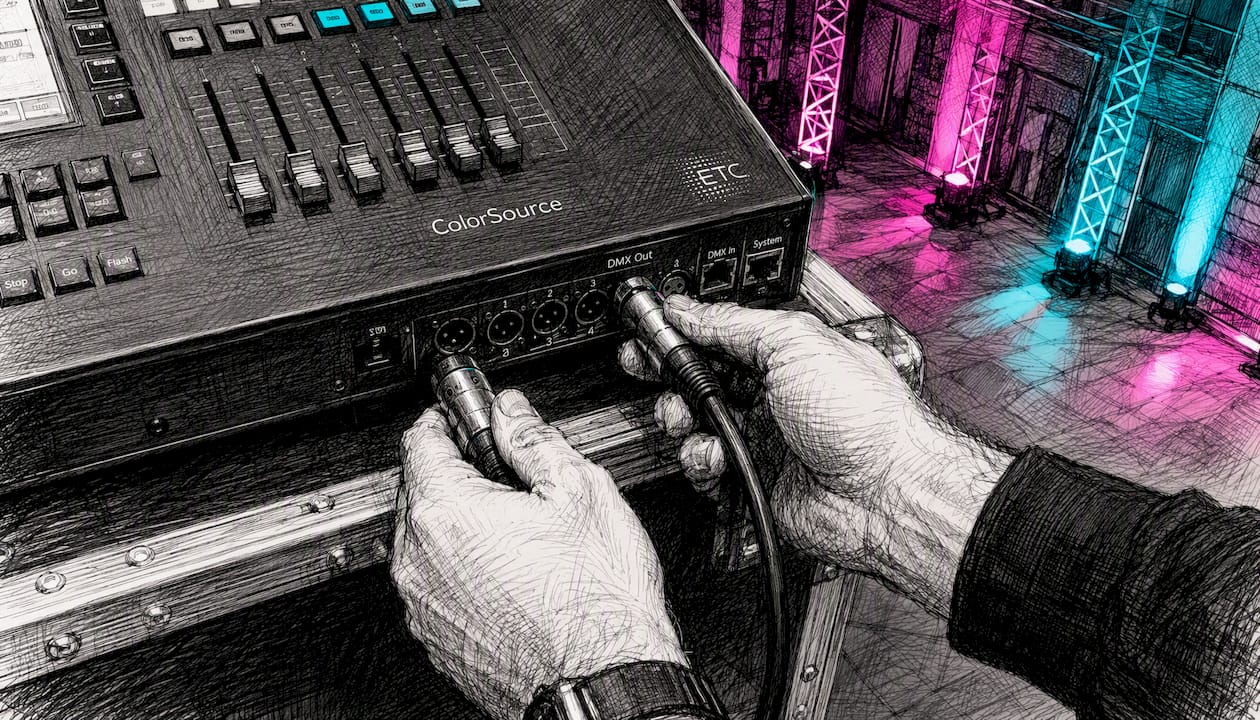
The ColorSource light board is a compact ETC lighting console family designed for fast, intuitive control of LED and intelligent fixtures. Firefly AV, an AV hire and event production company based in Leeds and Preston, hires ColorSource consoles for events across the UK, with day rates typically in a range depending on model and technician requirements.
The four models are:
- ColorSource 20 (CS20) — 20 faders, one DMX universe, no network or AV features
- ColorSource 40 (CS40) — 40 faders, one DMX universe, no network or AV features
- ColorSource 20 AV (CS20 AV) — 20 faders, up to five sACN/Art-Net universes, HDMI, audio I/O
- ColorSource 40 AV (CS40 AV) — 40 faders, up to five sACN/Art-Net universes, HDMI, audio I/O
All models share a 7" multi-touch stage map display, RDM auto-discovery for intelligent fixtures, and CE compliance documentation available from ETC’s documentation index. The Amigo browser-based remote is supported on AV models.
Key takeaways
The CS40 AV is the most capable ColorSource model for UK event production, combining 40 faders, five sACN/Art-Net universes, HDMI and the Amigo remote in a compact console.
| Point | Details |
|---|---|
| Choose AV for media events | Book a CS20 AV or CS40 AV whenever HDMI output, audio I/O or sound-to-light is required. |
| Verify RDM patch on site | Auto-discovery saves time but must be checked against physical fixture addresses before the show. |
| Back up the show file | Export to USB immediately after patching; keep a second copy offsite in case of firmware rollback. |
| Confirm CE/UK paperwork | Request the ETC DoC compliance file for the hire unit before the event. |
| Firefly AV hire | Firefly AV hires all four ColorSource models from Leeds and Preston, with day rates from £80–£150. |
Table of Contents
- What are the technical specs for each ColorSource model?
- Which ColorSource model should you pick for your event?
- What should you ask before hiring a ColorSource console?
- How do you set up a ColorSource console in a UK venue?
- What are Simple Mode and Complete Mode, and when should you use each?
- How are ColorSource consoles used at common UK events?
- What quick fixes should you try if something goes wrong on site?
- CS20 / CS40 / CS20 AV / CS40 AV: side-by-side comparison
- Where to find official specs, manuals and UK compliance documents
- What the ColorSource range gets right — and where most operators go wrong
- Firefly AV hires ColorSource consoles across the UK
- Sources
- FAQ
What are the technical specs for each ColorSource model?
The table below draws on the official ColorSource app sheet and ETC’s workbook.
| Spec | CS20 | CS40 | CS20 AV | CS40 AV |
|---|---|---|---|---|
| Faders | 20 | 40 | 20 | 40 |
| Control channels | 80 | 80 | 80 | 80 |
| DMX ports (5-pin XLR) | 1 | 1 | 2 | 2 |
| DMX universes | 1 | 1 | Up to 5 (sACN/Art-Net) | Up to 5 (sACN/Art-Net) |
| RJ45 network port | No | No | Yes | Yes |
| HDMI output | No | No | Yes | Yes |
| Audio I/O | No | No | Yes | Yes |
| Amigo remote | No | No | Yes | Yes |
| Display | 7" multi-touch | 7" multi-touch | 7" multi-touch | 7" multi-touch |
| sACN / Art-Net | No | No | Yes | Yes |
Full datasheets, CE/DoC compliance files and firmware release notes are available from the ETC documentation index. Download the datasheet and user manual before any hire.
Which ColorSource model should you pick for your event?
The CS20 suits a presenter-led conference in a hotel ballroom where you need four or five looks and nothing more. The CS40 gives you the extra fader real estate for a mid-size theatre or awards night without adding network complexity. Move to an AV model the moment your brief includes an HDMI feed to a confidence monitor, a video wall driven by the console, or sound-to-light effects — the AV models add sACN/Art-Net networking, OSC, audio I/O and the Amigo remote specifically for those integrations.
What should you ask before hiring a ColorSource console?
Run through this checklist on your vendor call or technical briefing:
- Fixture count and parameters — how many devices, and do any require more than basic intensity/colour control?
- Universe count — one universe covers 512 DMX addresses; larger rigs or networked fixtures need an AV model’s sACN/Art-Net support
- AV/media requirements — does the brief include HDMI output, audio I/O or sound-to-light? If yes, book an AV model
- Amigo remote — will a technician need floor-level control during focus or rehearsal? Amigo is AV-model only
- Firmware version — confirm the hire unit’s firmware revision matches the show file you plan to load
- CE/UK compliance paperwork — request the DoC file for the specific unit; ETC maintains UK/GB variant compliance documents
- Technician support level — dry hire, operator-only, or full crew?
Pro Tip: RDM auto-discovery can populate your patch quickly, but always walk the rig and verify that auto-populated fixture addresses and parameter assignments match the physical units before the doors open. A mis-patched mover at the back of a 500-seat room is not a problem you want to solve during the show.
How do you set up a ColorSource console in a UK venue?
Core setup is quick, but verify auto-discovery before you trust it. Follow this sequence:
- Power and security — connect to a clean, fused supply; confirm the venue’s power distribution meets the console’s rated draw. Check event power distribution requirements before load-in
- DMX/XLR cabling — run 5-pin XLR from the console’s DMX port(s) to the first fixture in each run; terminate the last fixture in each chain
- RDM discovery — trigger auto-discovery from the stage map; the console will populate fixture addresses and profiles automatically
- Verify the patch — walk the rig and confirm every auto-populated address against the physical fixture label; correct any mismatches in the patch editor
- Network setup (AV models) — connect RJ45 to your network switch; select sACN or Art-Net in the console’s network settings; assign universe numbers to match your node configuration
- Amigo remote — connect a tablet or laptop to the same network; open a browser and navigate to the console’s IP address to access Amigo for floor-level adjustments
- Show file backup — export the show file to USB immediately after patching; keep a second copy offsite or in cloud storage
For LED screen integration via HDMI, confirm routing and resolution during the tech rehearsal, not at showtime.
Pro Tip: Use the Playback Toy for live busking at corporate or broadcast events — it lets you filter and time pre-programmed looks so you can layer cues in real time without re-cueing from scratch. Assign quick-select groups before the show so floor changes take seconds, not minutes.
What are Simple Mode and Complete Mode, and when should you use each?
The user manual defines two operating modes that change how much of the console’s capability is exposed.
Simple Mode gives you a single page of faders and a limited set of looks. It is the right choice for:
- Small corporate presentations where the LD needs four or five static states
- Small theatre productions with a straightforward wash-and-special rig
- Any event where the operator is not a dedicated lighting technician
Complete Mode exposes full parameter control, multiple pages of faders and advanced programming tools. Use it for:
- Awards nights with moving lights and colour-mixing LED fixtures
- Concerts and eSports events where cue stacks and submasters are essential
- Broadcast-style events where precise colour temperature control matters
Switching between modes is non-destructive — your show data is preserved. The practical rule: start in Simple Mode during load-in to confirm the patch, then switch to Complete Mode once the rig is verified and programming begins in earnest.
How are ColorSource consoles used at common UK events?
- Conference AV (Leeds, Manchester, Birmingham) — CS20 or CS20 AV driving a wash rig plus a Panasonic projector feed; the AV model handles HDMI to confidence monitors alongside DMX to the fixtures
- Awards nights — CS40 AV controlling moving lights, LED battens and a pixel batten backdrop; sACN universes handle the networked rig; typical hire band £120–£150/day
- Small theatre — CS20 in Simple Mode for a 12–16 fixture rig; one DMX universe is sufficient; day rate around £80–£90
- Corporate product launches — CS40 AV with Absen LED wall, DB Technologies speakers and Sennheiser mics; sound-to-light on the AV model syncs the rig to the product reveal audio
- Broadcast green room — CS20 AV for colour-accurate LED control; HDMI out to a monitor for the director; Amigo lets the gaffer adjust colour temperature from the floor without touching FOH
- Trade-show demo booths — CS20 running a small LED wash rig on Lite Deck staging; Simple Mode keeps operation accessible for non-specialist booth staff
- eSports events — CS40 AV with full colour-mixing LED fixtures, Birddog cameras feeding the broadcast chain, and Allen & Heath console for audio; Complete Mode handles the cue-heavy show
RDM auto-discovery means fixture profiles populate without manual address entry, cutting patch time on multi-fixture rigs considerably.
What quick fixes should you try if something goes wrong on site?
Prioritise signal chain and power checks first, then console configuration. In order:
- Check power and fuses at the distribution board
- Confirm DMX cabling continuity and termination on the last fixture in each run
- Re-run RDM discovery and cross-check auto-populated addresses against the physical rig
- Verify the console’s output mode — DMX vs sACN — matches the node or fixture expectation
- Check Amigo connectivity: confirm the console and remote device share the same subnet
- Restore from the USB show file backup if a configuration change has caused unexpected behaviour
Pro Tip: Amigo is your fastest on-floor diagnostic tool. Rather than walking back to FOH every time a fixture behaves unexpectedly, open Amigo on a phone or tablet and adjust intensity, colour or address from the fixture position. It cuts troubleshooting time on large rigs significantly.
For firmware issues, check the ETC documentation index for the current release notes. If a recent update introduced instability, roll back by loading the previous firmware file from USB and restoring the pre-update show file.
CS20 / CS40 / CS20 AV / CS40 AV: side-by-side comparison
Firefly AV stocks and hires all four models from Leeds and Preston. For most UK corporate and conference events, the CS20 AV covers the brief. The CS40 AV is the default recommendation for awards nights, concerts and eSports productions where moving lights and multi-universe rigs are standard.
Where to find official specs, manuals and UK compliance documents
- ETC ColorSource documentation index — datasheets, technical drawings, CE/DoC compliance files and UK/GB variant documents
- ColorSource user manual v1.1.1 — full operating instructions covering Simple Mode, Complete Mode, patching and backup procedures
- CS-CSAV Workbook v3.1A — model-by-model feature breakdown and AV workflow guidance
- ETC ColorSource features page — Amigo, Playback Toy, sACN/Art-Net and AV feature descriptions
- Firmware release notes — available from the documentation index; check before every hire to confirm version compatibility with your show file
What the ColorSource range gets right — and where most operators go wrong
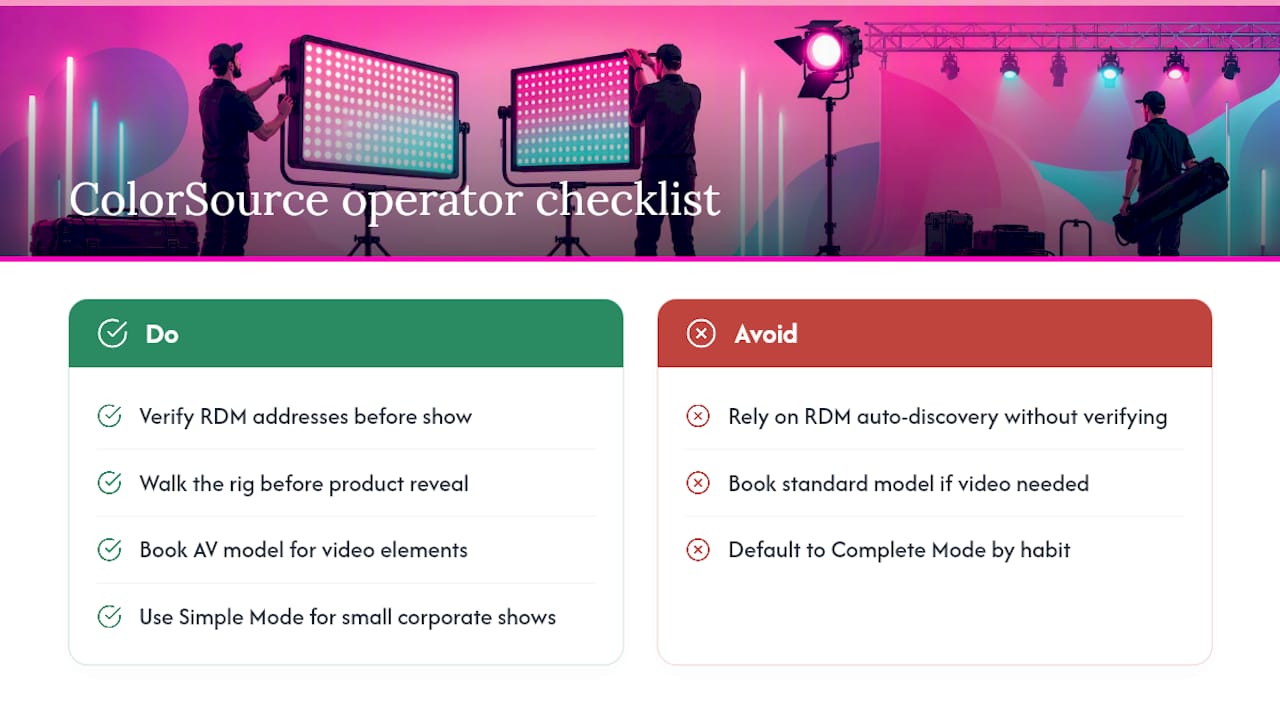
Most technicians who struggle with ColorSource consoles on site have one thing in common: they trusted RDM auto-discovery without verifying it. The auto-populate feature is genuinely useful, particularly on a 30-fixture rig under load-in pressure. But it is a starting point, not a finished patch. A fixture that responds to the wrong address during a product reveal is a harder conversation than the five minutes it takes to walk the rig beforehand.
The other persistent mistake is booking a standard model when the brief quietly includes a video element. “Just an HDMI feed to the screen” is exactly the kind of detail that surfaces at tech rehearsal when the console is already in the rack. AV models cost marginally more per day; the alternative is a last-minute re-hire or a workaround that nobody is happy with.
Simple Mode is underused by experienced operators who default to Complete Mode out of habit. For a small corporate show with a non-specialist operator, Simple Mode is the correct choice — it reduces the chance of an accidental parameter change mid-presentation and keeps the interface readable under pressure.
Firefly AV hires ColorSource consoles across the UK
Firefly AV is the practical choice for event managers and venue operators who need a ColorSource console with a technician who already knows the rig. Based in Leeds and Preston and working UK-wide on AV equipment hire, Firefly AV supplies all four ColorSource models alongside the wider kit that typically surrounds them: Absen LED walls, Panasonic projectors, DB Technologies speakers, Sennheiser mics and Lite Deck staging.
Day rates run from £80 for a CS20 to £150 for a CS40 AV, with technician day rates quoted separately. Dry hire is available on a two-day hire week. For conferences, awards nights, eSports events and broadcast productions, Firefly AV can supply the console, the crew and the surrounding event production setup as a single package. Contact Firefly AV directly for availability and a day-rate quote specific to your event.
Sources
- ETC ColorSource Consoles ETC ColorSource Consoles
FAQ
What is a ColorSource light board?
A ColorSource light board is a compact ETC lighting console designed for LED and intelligent fixture control. It uses a 7" multi-touch stage map and RDM auto-discovery to simplify patching for live events.
How many DMX universes does a ColorSource console support?
Standard CS20 and CS40 models support one DMX universe (512 addresses). AV models (CS20 AV and CS40 AV) support up to five universes via sACN or Art-Net over Ethernet.
What does the Amigo remote do on ColorSource AV consoles?
Amigo is a browser-based remote available on AV models that lets a technician control the console from a phone or tablet on the same network, useful for floor-level focus and troubleshooting without returning to FOH.
Can Firefly AV supply a ColorSource console with a technician?
Yes. Firefly AV hires all four ColorSource models from its Leeds and Preston bases, with technician support available. Day rates vary depending on model, with crew quoted separately.
When should I use Simple Mode versus Complete Mode?
Use Simple Mode for small shows with a limited number of looks and non-specialist operators. Switch to Complete Mode for larger rigs, moving lights, or any event requiring multi-page fader control and full parameter access.